
- Home
- Blog
- Event Host Blog
- Livestream presenter for a corporate event: what changes on camera
Livestream presenter for a corporate event: what changes on camera
 By Kevin Durham, event host and MC
23 November 2026 · updated 11 November 2026
7 min read
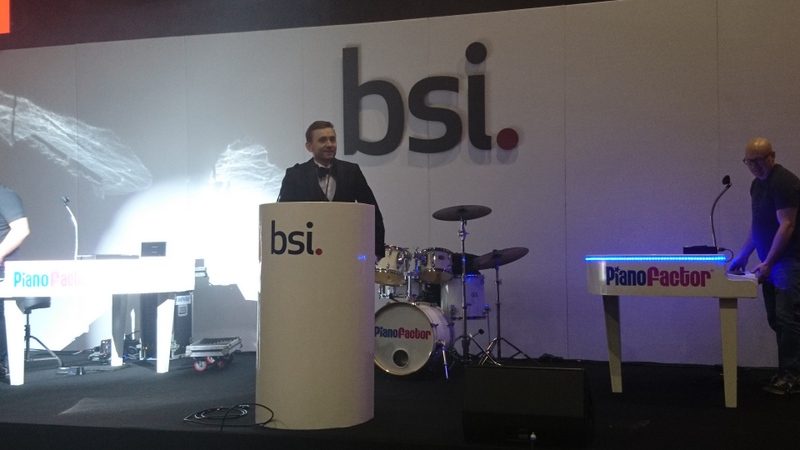
A livestream presenter for a corporate event is the person who fronts a company event that is being streamed: they talk to the room and the lens at once, keep the programme to the clock and carry the stream through any gap. If you are a comms lead streaming a results day, town hall or launch to staff or customers, this is what changes once a camera is your main audience, and how to tell whether you need one.
In short
- A livestream presenter writes every line for two audiences: the people in the seats and the viewers who see only what the camera frames.
- The rundown needs a clock time for every item and one person who gives the cues.
- Plan the dropped feed before the day: a second producer, a recorded fallback and a line for the presenter to say.
- Check three things that are not about presenting: market-sensitive results, a recording notice and live captions.
- A host adds most when leaders are on screen, viewers outnumber the room or questions come in live.
What does a livestream presenter for a corporate event do that a room host does not?
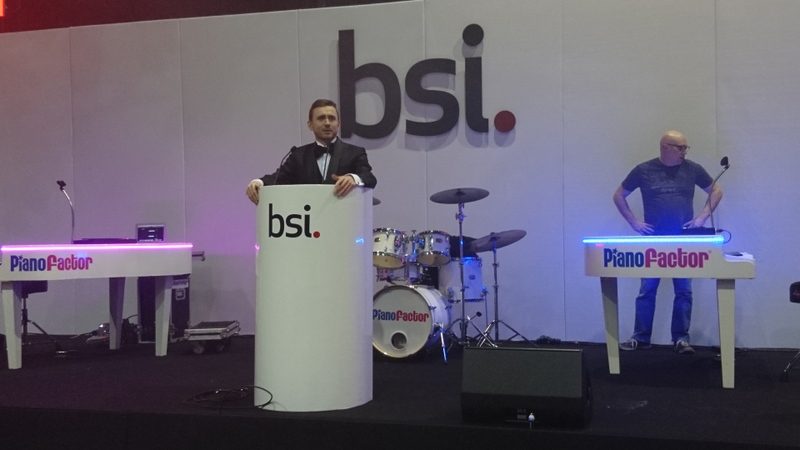
A livestream presenter makes each line work for the people in the seats, who see the whole stage, and for viewers, who see only the frame. A room forgives a pause or a glance at the screen. A stream does not, because viewers have nothing else to look at.
A BBC reporter’s advice, published by Dropbox, is practical: keep the lens at eye level, put notes beside it, look into it almost all the time and leave a gap after each short sentence. The same piece says reading precise figures aloud is fine because it adds credibility, which suits a results day.
I came up through television, so working to camera, managing a prompter and keeping to a timed rundown are familiar to me, and I host fully virtual events as well as hybrid and in-person ones. I would rather say that once and get on with the detail. My virtual corporate entertainment post covers keeping a remote room involved, so this one stays with the mechanics.
The livestream rundown, talkback and handovers
A livestream rundown lists every item against a clock time, who is on screen and who gives the cue. In television, the producer speaks to the presenter through talkback, a private earpiece channel, so changes reach the presenter without the audience hearing them.
At a company event that job usually falls to your stream producer or AV lead. Agree who it is before the day, because two people calling cues is how a presenter loses their place. Here is an illustrative 45 minutes for a results day town hall, not a client’s real running order:
| Start | Item | Length |
|---|---|---|
| 0:00 | Welcome, what the next 45 minutes cover | 3 min |
| 0:03 | Chief executive: the results | 12 min |
| 0:15 | Finance director: the numbers | 8 min |
| 0:23 | Presenter and chief executive: questions from the room | 7 min |
| 0:30 | Questions from viewers, moderated | 10 min |
| 0:40 | Close and next steps | 5 min |
The totals add up to 45, and the viewer questions have their own slot because a moderated queue needs time to be read.
The handover is where a stream shows its seams. Between speakers I thank the speaker, shake their hand, introduce the next one and leave the stage. On camera, that tells viewers whose face to expect next, so I keep it to a few seconds.
What happens when the feed drops or a speaker freezes?
When a feed drops or a speaker freezes, the presenter says plainly what is happening, gives viewers a time to expect the programme back and keeps the room occupied while the stream team recovers. Nobody should guess at the cause on air.
Prevention belongs to your production team, and Microsoft’s large events guide (read November 2026) is a good checklist. It says to keep a second producer who can take over, a spare laptop with slides preloaded, a secondary internet connection such as a hotspot, and to pre-record critical presentations so you can switch if a presenter loses connectivity.
Ask your supplier about a backup feed, too. YouTube’s ingestion documentation describes sending a redundant second copy to a backup address, which only helps if your encoder actually sends it.
From the events I host, AV failure and venue under-staffing are the most common conference problems, and venue wifi is one of the biggest that keep recurring: the venue says it is fine and the client finds out on the night. Where the connection matters, I suggest clients look at hiring Starlink for a day. If something does go wrong, I stay flexible and go with the flow rather than defend the plan.
One organiser, on my reviews page, described a full-day event: “Some of the speakers were late, there was a video problem, there were all sorts of complications and we got delayed by an hour and a half. In all those small pauses Kevin had to go on stage and entertain the audience and keep it going, so as not to lose attention.” (Full-day educational event organiser.)
How do questions from viewers reach the room?
Viewer questions should go into a moderated queue and reach the room through the presenter, who reads them aloud, because people in the seats cannot see what viewers type. Without that step, the stream has a conversation the room never hears.
Microsoft’s town hall page, read November 2026, lists moderated Q&A, with moderators who can be organisers, presenters or anonymous moderators, for up to 50,000 attendees on Teams Premium. Other platforms differ, so check the limits for yours.
Before the day I get clear with the client on which questions can go through and which I need to stop, for example during a merger when some in the audience will not like a topic. On the day I hold the microphone when I speak to people in the room, which keeps control with me and spares the awkward business of getting it back. My all hands meeting guide covers how to design the Q&A itself.
Results day: two checks before the stream goes live
Before a results day stream goes live, a comms lead should check two things outside the presenting: whether the content can be shared before the market, and whether people know they are being recorded. I am a host, not a lawyer, so take both to the right team.
Market-sensitive results. If your company is listed, the FCA’s Primary Market Bulletin 52 (November 2024) says issuers should start from the assumption that financial results information could be inside information. Ask your legal team whether staff may see it before the announcement.
Recording notice. The ICO says privacy information must be given “at the time” personal data are obtained, including by observation such as CCTV. It should cover purposes and retention, and who sees the data. Put a line on the invitation and a sign at the door.
Does a company livestream need live captions?
A company livestream should offer live captions, because the W3C’s live captions criterion (WCAG 2.2, 1.2.4, level AA) asks for captions on all live audio in synchronised media. Ask your platform what it offers and who switches it on, and tell the presenter, so names and figures are said clearly.
When is a livestream presenter for a corporate event worth hiring?
A livestream presenter is worth hiring when leaders are on screen and need pacing, when viewers outnumber the room, when questions arrive live or when several speakers share the clock. In those cases someone has to own the timing and speak for both audiences.
Clients who have used a senior colleague as host often tell me it got awkward, because that person tried to present the event instead of taking part in it. A neutral voice also lets the chief executive concentrate on the message. My corporate event host page shows how I fit around the leaders, and briefing a host says what I will ask you.
Do it yourself when one leader speaks to one fixed camera, nobody asks live questions and the stream is kept as a recording. A colleague who is comfortable on camera can manage that, and I would tell you so. Below about 30 people in the room it feels more like a big round-table meeting than an event.
A host is not a stream crew. I provide the presenter, so you still need a production supplier for cameras, vision mixing and the platform. If the job is filmed content as much as a live room, my event presenter page explains the role.
What to have ready when you get in touch
Have the date, the room size and who will be in it, the platform, who is producing the stream, who speaks, whether questions come in live, and what went wrong last time. A draft rundown helps more than anything else.
Ideally I would have the information about a week before, though when the build-up is chaotic I can take the details on the day and hit the ground running. I offer voice-of-God announcing for a countdown at no additional fee when I am attending as host. If you are planning a stream and want a presenter for both the room and the lens, call me on 07596 851647 or email hello@eventhost.info, or start from my event host home page.